Skip to content
  • Pitcherific
  • Articles
  • Support
  • Try the pitch tool
  • Before You Pitch
  • Body Language
  • Situations
  • Techniques

How do I print my pitch as PDF?

View Categories
  • Home
  • Docs
  • Getting Started
  • How do I print my pitch as PDF?

How do I print my pitch as PDF?

< 1 min read

If you have a Pitcherific PRO account, we’ve prepared an easy way for you to print your pitch to PDF.

After opening your pitch, look for your Toolbox in the upper right corner of your pitch paper. Select it and look for PDF in the list and select that.

A print window will appear, where your pitch has been styled for optimal printing. In this window, choose PDF as your destination and select Print.
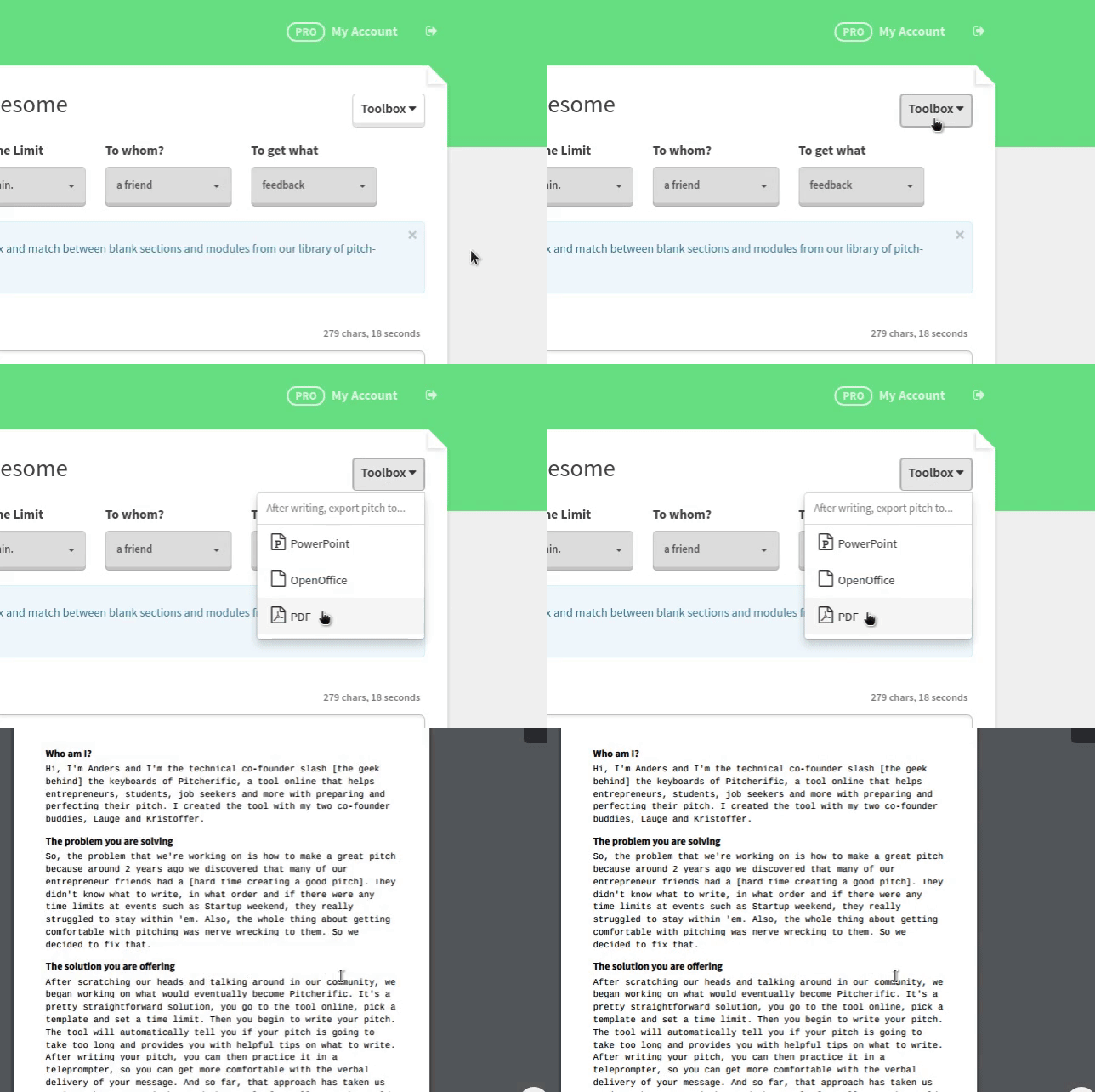
docs_download_as_pdf

PRO tip: You can also open the print window using the keyboard command CTRL+P on Windows or CMD+P on a Mac. It will give you the same result.

Updated on March 24, 2016

What are your Feelings

  • Happy
  • Normal
  • Sad

Share This Article :

  • Facebook
  • X
  • LinkedIn
  • Pinterest
Creating an Elevator Pitch Video using the Pitch RecorderCreating a Custom Pitch

Pitcherific's innovative pitch tool helps entrepreneurs, students, and job seekers prepare an effective pitch. Convince your potential investors, customers or employer today

See how it works
© 2026 Pitcherific