If you’re as big a fan as we are of the grammar checking app Grammarly, then I’ll let you in on a little secret; each and every section of any pitch templates in Pitcherific’s pitch training tool integrates easily with Grammarly’s browser extension.
This dynamic duo can be especially helpful to our teachers and university professors out there who use Pitcherific with their students in English and similar classes where presentations and pitches are a part of the curriculum.
How to integrate Grammarly with Pitcherific #
- Go to Grammarly and install their browser extension. We use the one for Chrome, but there’s also one for Firefox here.

- Continue through the installation process. It’s super simple and takes less than a few seconds.
- Sign up for a free Grammarly account, so you have access to most of its basic features. It’s just handier when writing your pitch later.
-
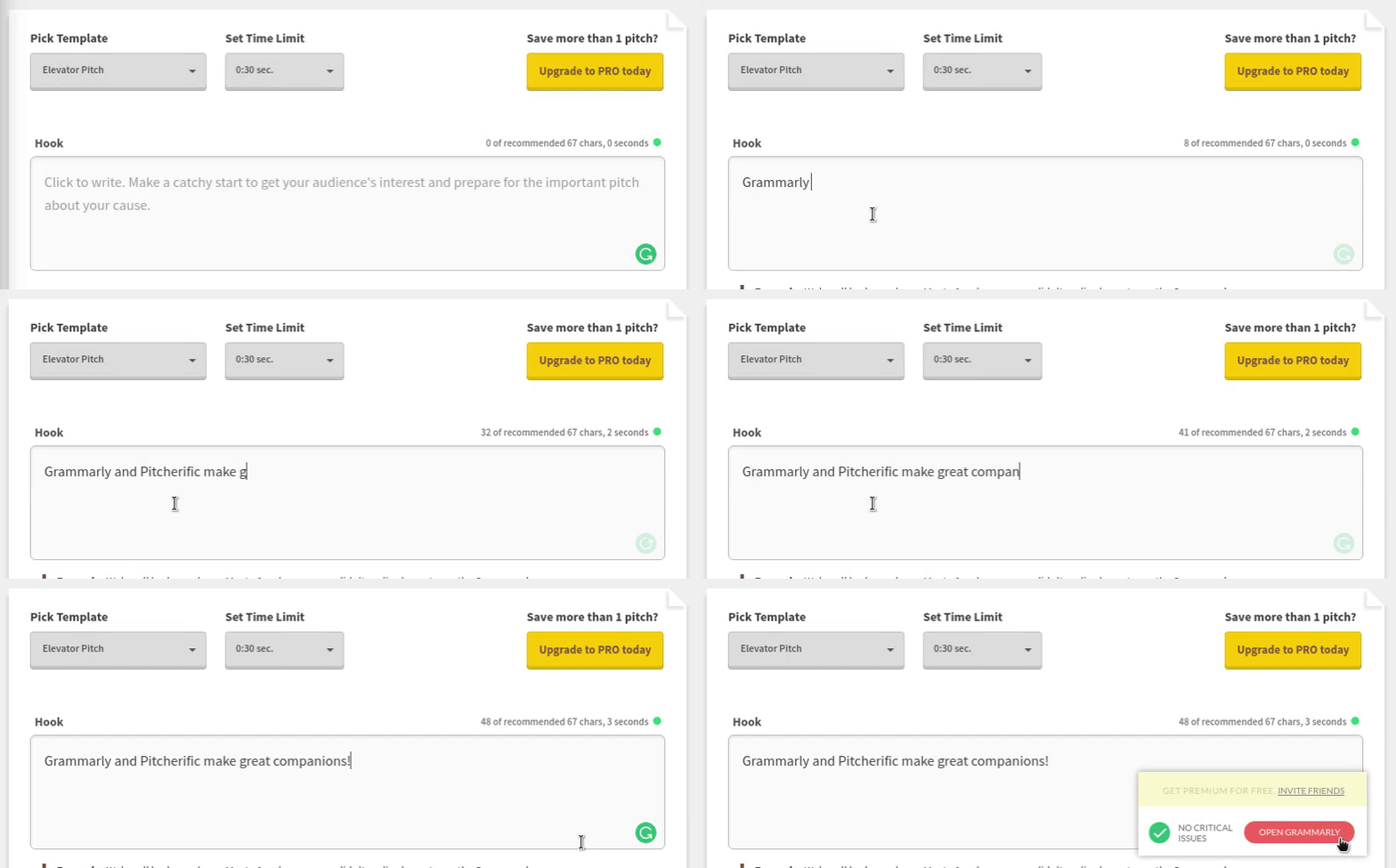
With Grammarly ready to rock, teleport to Pitcherific and choose a template. You don’t even have to sign in or create an account to see how the grammar checking begins to work. Simply start typing in one of the sections and keep an eye out for the green circle in the bottom right corner.
It’s that easy, folks #
Sometimes, things just snap right into place without much fuss. Try this powerful combination the next time, either with your class or by yourself. Anyone can benefit from better grammar and now you can rehearse your pitch or presentation with even more ease of mind.


